Isaac Sim, MuJoCo and Gazebo all simulate robots, but they emphasize different engineering workflows. Isaac Sim combines physically based rendering, sensors, synthetic data and NVIDIA’s robot-learning stack. MuJoCo focuses on fast articulated dynamics and contact. Gazebo provides system simulation, plugins and established ROS integration.
There is no single winner for every project. A reinforcement-learning researcher may prioritize parallel stepping and simple model definition. An autonomy team may need cameras, lidar and ROS 2 messages. A digital-twin team may need rich scenes and software-in-the-loop validation. The same organization can use more than one simulator.
This comparison should be read with the sim-to-real failure guide and domain randomization guide. Simulator choice reduces selected risks; real hardware validation remains the final evidence.
Start with the experiment rather than the brand
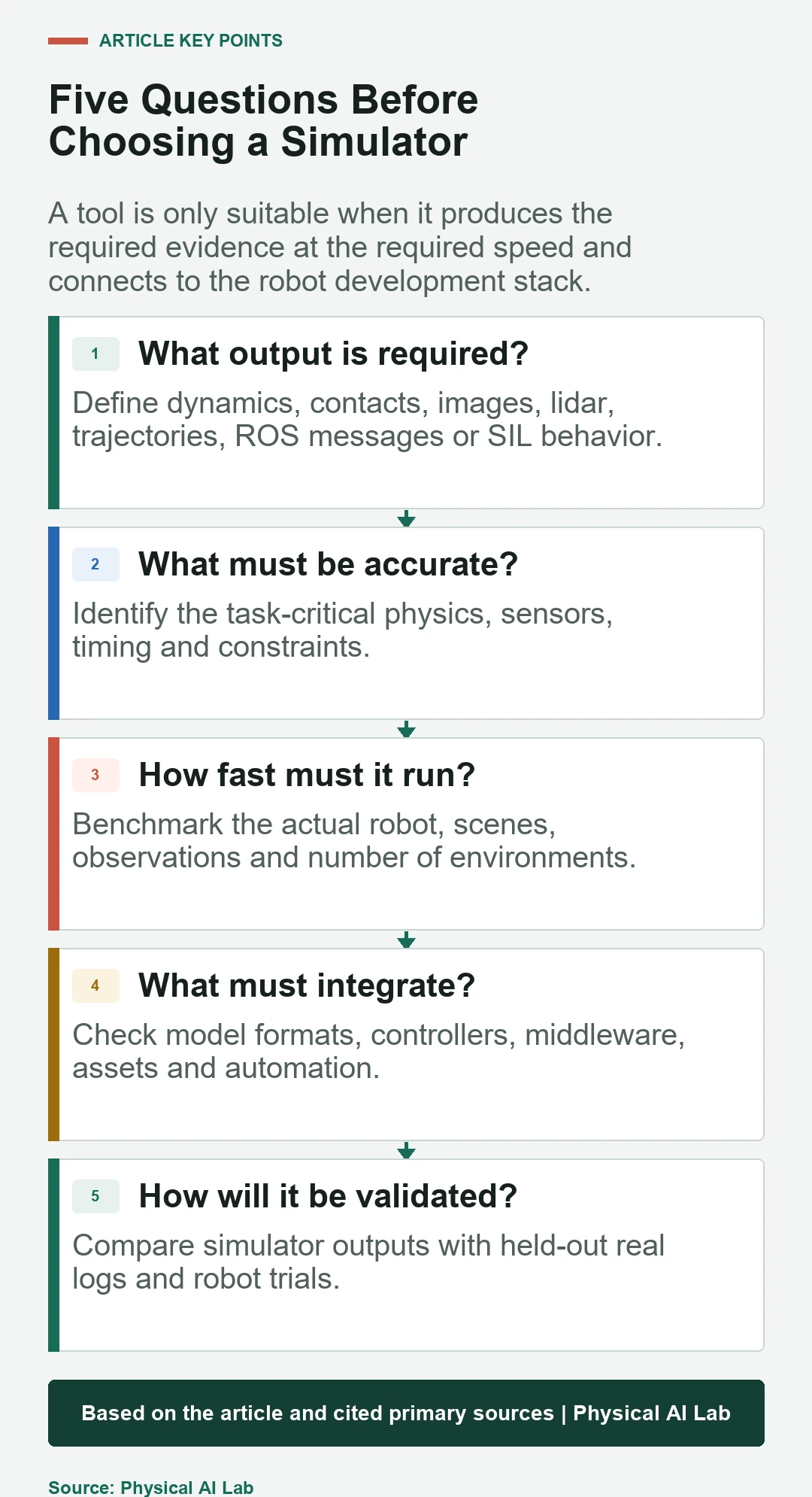
Define the output required from simulation: joint trajectories, contact forces, camera frames, lidar scans, training rollouts, ROS topics or a complete software-in-the-loop test. Then define acceptable accuracy, speed, determinism, hardware and team integration. A feature is valuable only if the project uses it.
Separate model development from operational validation. A lightweight dynamics experiment may not need a photorealistic warehouse, while perception training may not need every actuator detail. Building one oversized scene for every question can slow iteration and obscure the source of error.
MuJoCo emphasizes articulated dynamics and contact
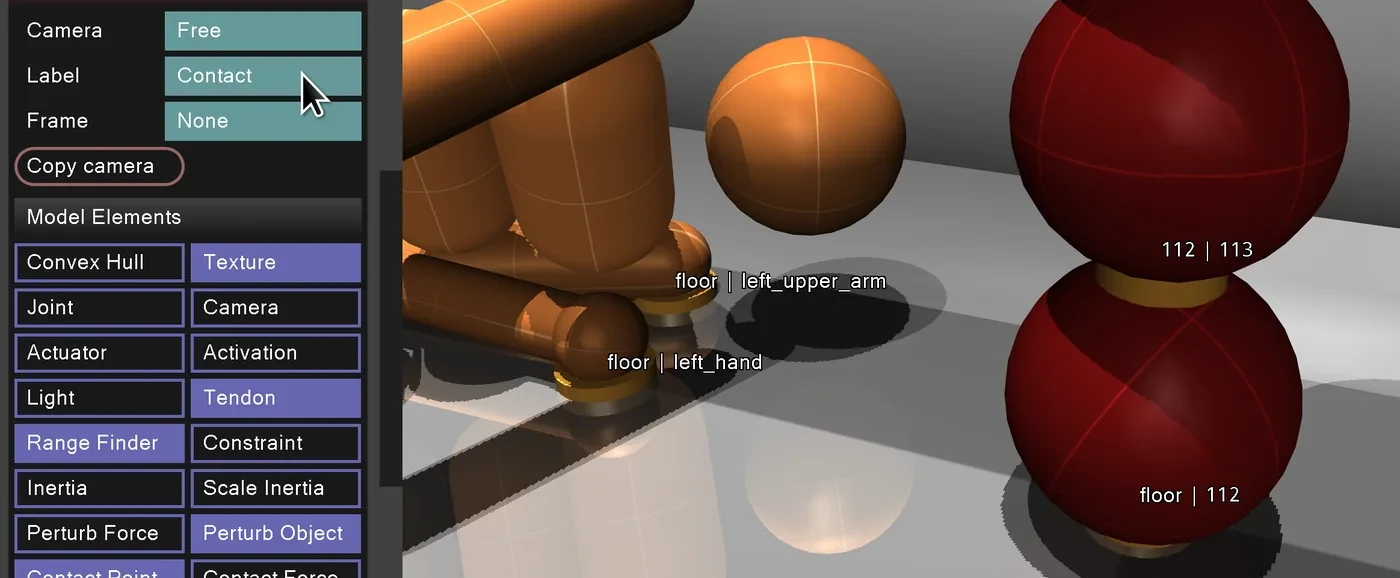
The official MuJoCo overview describes a general-purpose physics engine for articulated structures, contact, control and machine learning. Models use MJCF, and URDF can also be loaded. Its compact runtime and low-level API support repeated dynamics experiments and sampling.
MuJoCo is a strong fit for control, locomotion, manipulation and reinforcement-learning research where dynamics iteration matters more than a complete operational environment. Teams still need external tooling for some asset, middleware and large-scale scene workflows. Contact parameters and timestep choices require careful validation.
Isaac Sim emphasizes sensors, rendering and the NVIDIA stack
The current Isaac Sim documentation covers robot and scene import, physics-based sensors, synthetic data, ROS 2 and software-in-the-loop testing. USD and Omniverse workflows support complex scenes, while Isaac Lab connects parallel learning environments.
This breadth can help perception and end-to-end robot development, but it brings GPU, driver, asset and version requirements. Check the current installation guide for production hardware. A powerful renderer does not automatically produce a calibrated sensor model or accurate contact.
Gazebo emphasizes robot systems and ROS integration
Gazebo provides simulation libraries, sensors, plugins and transport for complete robot systems. Its ROS 2 integration supports message and control workflows familiar to ROS teams. SDF describes worlds and models beyond the narrower role of a robot URDF.
Gazebo is useful for navigation, multi-robot systems and testing robot software against simulated devices. Plugin versions, ROS distribution compatibility and rendering or physics backends need deliberate management. Teams moving from Gazebo Classic should distinguish the modern Gazebo release family and documentation.
| Question | Isaac Sim | MuJoCo | Gazebo |
|---|---|---|---|
| Primary strength | Rich sensors and learning stack | Fast articulated dynamics | ROS-oriented system simulation |
| Model focus | USD scenes and robots | MJCF articulated models | SDF worlds and plugins |
| Typical compute | GPU-intensive for rich rendering | Efficient CPU dynamics | Depends on world and rendering |
| Common use | Synthetic data and SIL | Control and RL research | Navigation and integration |
Physics accuracy depends on model calibration
Every simulator approximates contact, friction, compliance and actuators. A more advanced solver cannot fix wrong mass, inertia, geometry or control delay. Validate selected outputs against hardware measurements and tune only parameters that correspond to physical uncertainty.
Use consistent units, timestep and integrator settings. Inspect energy, penetration, contact forces and trajectory error. A simulation that remains numerically stable may still be physically wrong, and a model that matches one motion may fail under another payload or contact regime.
Sensor simulation is a separate requirement
Perception work needs camera intrinsics, exposure, depth errors, lidar pattern, noise and timing. Isaac Sim and Gazebo provide sensor workflows, while MuJoCo exposes simulated sensors and rendering within its focused model. Feature presence does not establish fidelity for a specific device.
Compare outputs against real logs using the robot sensor framework. If the project trains on pixels, lighting and materials matter. If it tests navigation logic, timestamp and message behavior may matter more than photorealism.
Training throughput and determinism shape learning
Robot learning can require millions of simulation steps and many environments. Measure steps per second with the actual robot, observations and policy, not an empty benchmark. GPU parallelism, CPU threading, headless execution and memory footprint can change the result.
Deterministic replay supports debugging, while controlled randomization supports robustness. Store simulator, assets, seeds and configuration. A policy improvement cannot be reproduced if a scene or physics version changed without record.
Middleware and controller interfaces determine reuse
A simulator should connect to the same or representative controller and autonomy stack used on hardware. ROS 2 topics, services, actions and control interfaces can make software-in-the-loop testing practical. Direct Python or C APIs can be better for fast learning loops.
Avoid forcing every internal high-frequency loop through middleware if the timing model becomes unrealistic. Define which components are simulated, which are production binaries and how simulated time is communicated. Test pauses, resets and faster-than-real-time execution explicitly.
Asset and license workflows affect total cost
Robot descriptions, meshes, environments and materials need conversion, validation and rights tracking. USD, MJCF, URDF and SDF represent different information. Conversion can lose joints, collision geometry, materials or sensor semantics, so the imported asset must be checked rather than assumed equivalent.
Consider software license, commercial support, cloud or GPU cost, asset licensing and team expertise. Open source reduces some barriers but does not eliminate integration and maintenance. Pin releases because plugin and file-format compatibility can change.
| Acceptance test | Evidence | Failure it catches |
|---|---|---|
| Robot import | Joint, mass and collision audit | Lost or altered model properties |
| Trajectory replay | Hardware versus simulation error | Dynamics and delay mismatch |
| Sensor replay | Distribution and timestamp comparison | Rendering or sensor gap |
| Controller SIL | Same binaries and interfaces | Middleware and timing errors |
| Task transfer | Held-out hardware trials | Unmodeled real conditions |
A staged comparison prevents tool lock-in
Build one representative task in each serious candidate. Measure setup time, simulation speed, output fidelity, debugging, automation and integration. Include the hardest sensor or contact rather than a trivial pendulum. Record why each requirement passed or failed.
Choose a primary simulator for the dominant workflow and keep conversion or replay boundaries where another tool is stronger. A MuJoCo learning environment can coexist with a Gazebo system test or an Isaac Sim perception pipeline. The shared truth is the robot’s calibrated description and validation dataset.
- Define the simulation output and acceptance metric.
- Prototype one representative hard case.
- Measure actual speed and hardware requirements.
- Validate physics and sensors against real logs.
- Pin versions, assets, seeds and licenses.
Frequently asked questions
Which robot simulator is best for beginners?
Choose the one aligned with the intended workflow and tutorials. MuJoCo can be direct for dynamics and learning, Gazebo for ROS systems, and Isaac Sim for rich sensors and NVIDIA workflows.
Can Isaac Sim, MuJoCo and Gazebo use URDF?
All can interact with URDF in some form, but their native scene formats and supported extensions differ. Import results must be audited for joints, inertia, collision and sensors.
Which simulator is fastest?
Speed depends on robot complexity, contacts, sensors, rendering, parallelism and hardware. Benchmark the actual workload; an empty-scene result is not decisive.
Does photorealistic rendering improve sim-to-real?
It can help image-based perception, but calibration, sensor effects, dynamics, timing and task coverage still matter. Photorealism alone does not guarantee transfer.
Should a company standardize on one simulator?
A primary platform reduces maintenance, but specialized tools can remain valuable. Define stable model, data and controller interfaces so evidence can move across tools.
Software Version Note
Simulator versions, requirements and integration packages change frequently. Verify current official documentation and reproduce comparisons with the project's robot, sensors, controller and hardware.